# Introduction to Django Framework

I recently picked up the basics of flask and have been wanting to learn Django. Here's my go @ it with the help of [TryHackMe](https://tryhackme.com/room/django)! Django is a high-level Python web framework that enables the rapid development of secure and maintainable websites. It allows you to develop websites and web applications in a matter of hours.
Django can automatically compile HTML code, therefore making it possible for anyone without any advanced knowledge in markup languages to develop a website. Additionally, Django is arguably one of the most secure developing frameworks, which in the right configuration, can strongly resist SQL injections and XSS.
In terms of penetration testing, it's critical to grasp the basic structure of Django-powered websites in order to spot potential flaws and developer errors.
[All Source Files](https://github.com/ItsNee/DjangoExampleTemplate.git)
* * *
Getting Started
---------------
Here's how to get started with Django on your local machine!
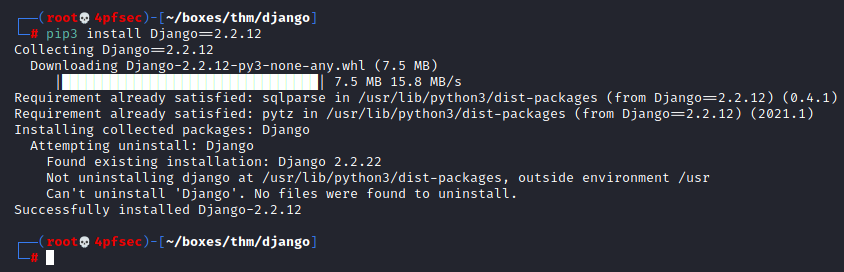
### Installing Django
┌──(root💀4pfsec)-[~/boxes/thm/django]
└─# pip3 install Django==2.2.12
### Creating new Project
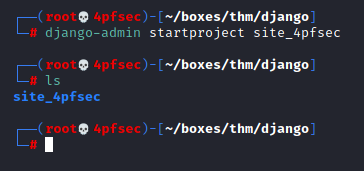
┌──(root💀4pfsec)-[~/boxes/thm/django]
└─# django-admin startproject site_4pfsec
### Configure created Project
`manage.py` is a command-line utility that lets you interact with your Django project in various ways. It is especially handy in creating web apps, managing databases, and most importantly running the server.
┌──(root💀4pfsec)-[~/boxes/thm/django/site_4pfsec]
└─# ls
manage.py site_4pfsec
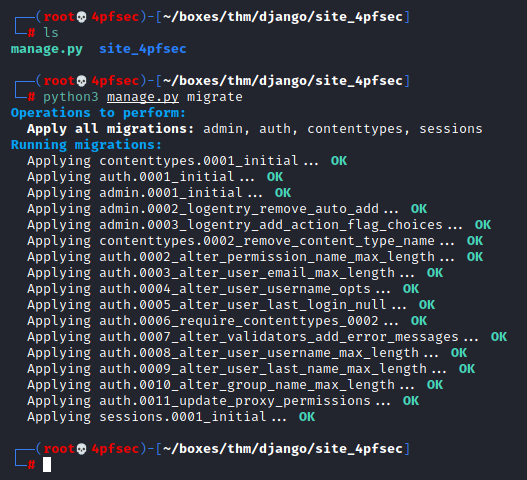
┌──(root💀4pfsec)-[~/boxes/thm/django/site_4pfsec]
└─# python3 manage.py migrate
┌──(root💀4pfsec)-[~/boxes/thm/django/site_4pfsec]
└─# ls
db.sqlite3 manage.py site_4pfsec

### Run Django Server
The basic syntax for using this utility is `python3 manage.py {command}`
**Modify Bind Host**
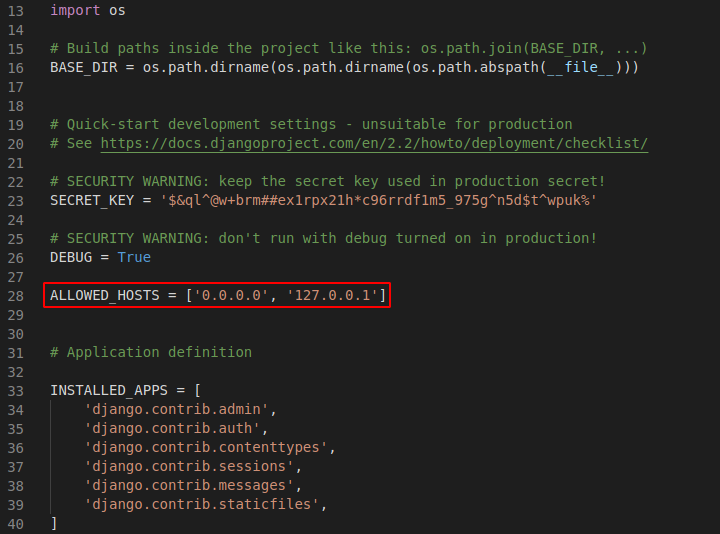
Modify line 28. Add `0.0.0.0` and `127.0.0.1`
`~/django/site_4pfsec/site_4pfsec/settings.py`
**runserver**
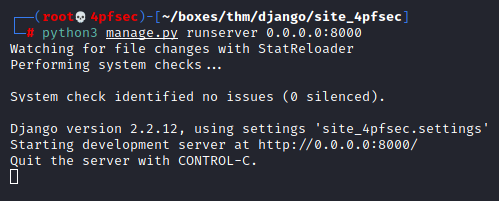
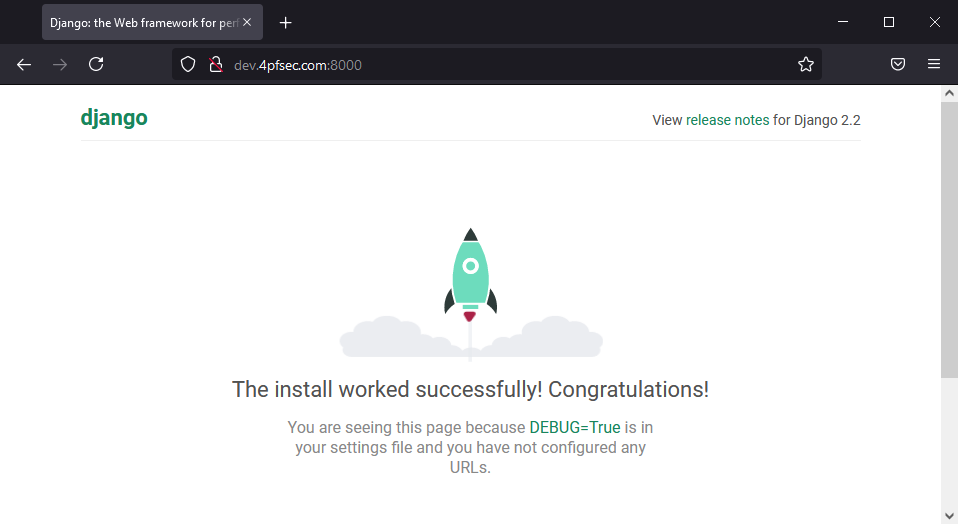
Runserver is the most important command used with manage.py. It allows you to deploy your website on the server. Django has a wonderful feature that allows you to instantly see changes made on the website without restarting it. (It is only necessary to restart runserver command when adding a new app).
┌──(root💀4pfsec)-[~/boxes/thm/django/site_4pfsec]
└─# python3 manage.py runserver 0.0.0.0:8000
**createsuperuser**
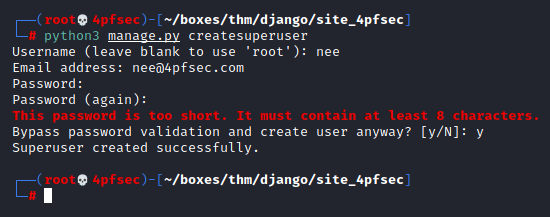
This command allows you to create an admin account for your Django web admin panel.
┌──(root💀4pfsec)-[~/boxes/thm/django/site_4pfsec]
└─# python3 manage.py createsuperuser
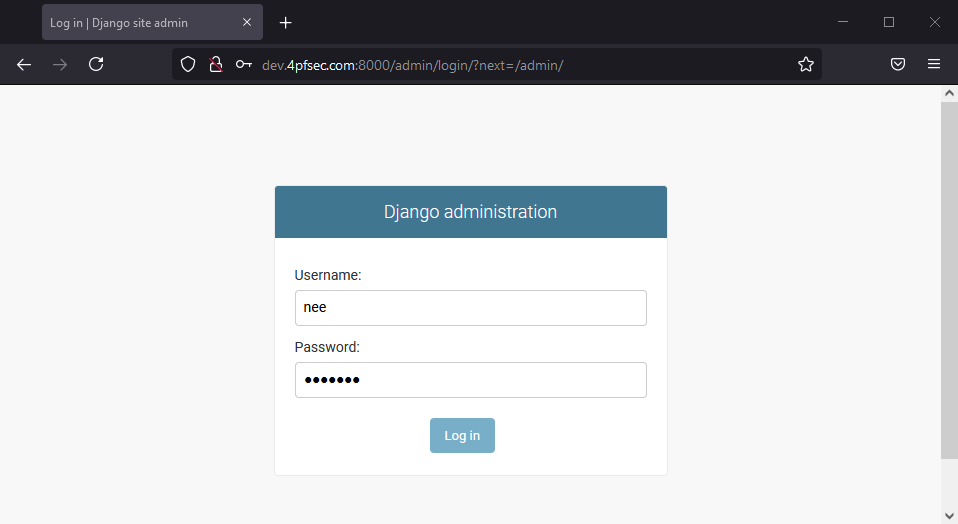
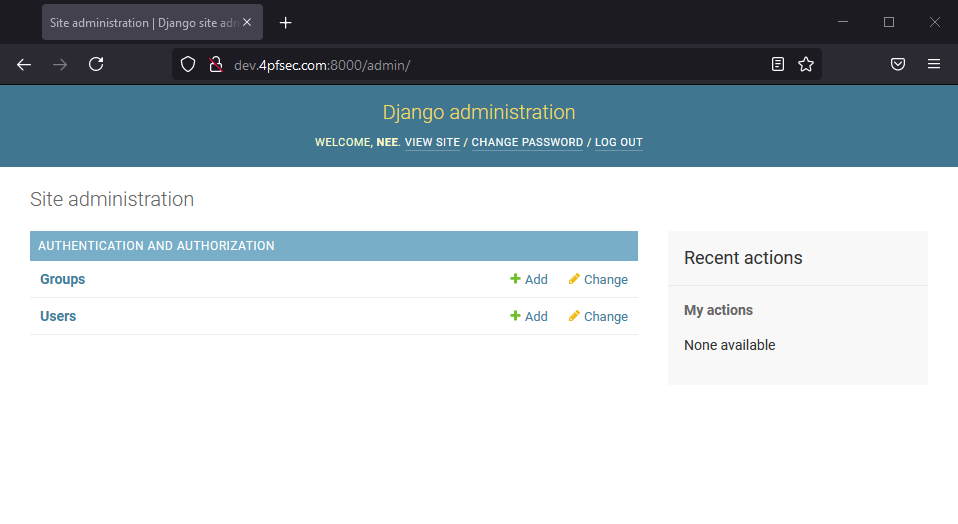
**Django Admin Panel**
`0.0.0.0:8000/admin`
This URL can be used to access Django web admin panel.
**startapp**
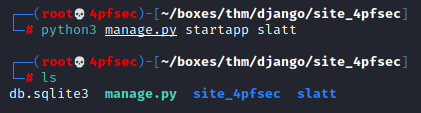
Startapp allows you to initialize an app for your project. Django projects can have an infinite number of apps.
┌──(root💀4pfsec)-[~/boxes/thm/django/site_4pfsec]
└─# python3 manage.py startapp slatt
* * *
Creating a Site
---------------
let's go ahead and create a very simple app.
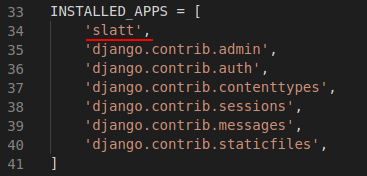
### Modify settings.py
INSTALLED_APPS = [
'slatt',
'django.contrib.admin',
'django.contrib.auth',
'django.contrib.contenttypes',
'django.contrib.sessions',
'django.contrib.messages',
'django.contrib.staticfiles',
]
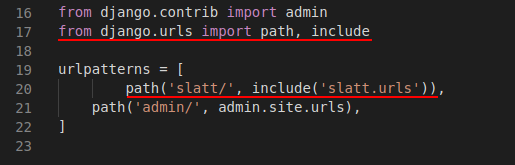
### Modify urls.py
from django.contrib import admin
from django.urls import path, include
urlpatterns = [
path('slatt/', include('slatt.urls')),
path('admin/', admin.site.urls),
]
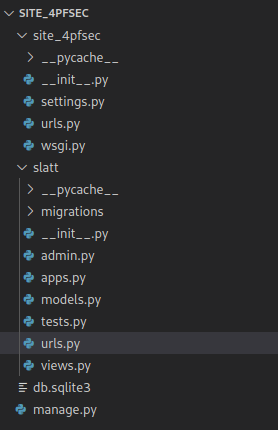
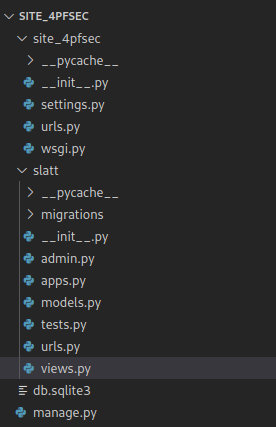
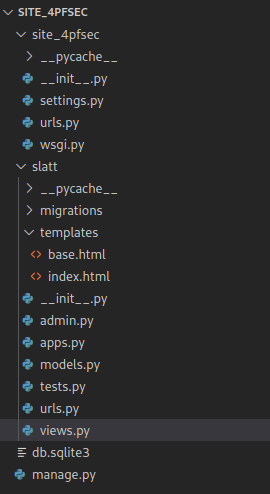
### App Directory
There are a couple files that need to be created in here for the app to work!
**urls.py**
from django.urls import path
from . import views
app_name = 'slatt'
urlpatterns = [
path('', views.index, name='index'),
]
**views.py**
from django.shortcuts import render
from django.http import HttpResponse
# Create your views here.
def index(request):
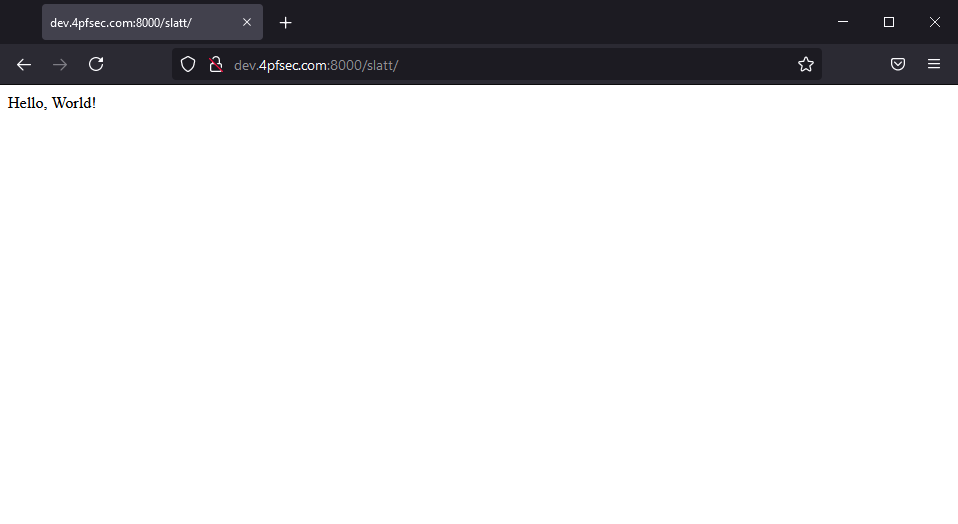
return HttpResponse("Hello, World!")
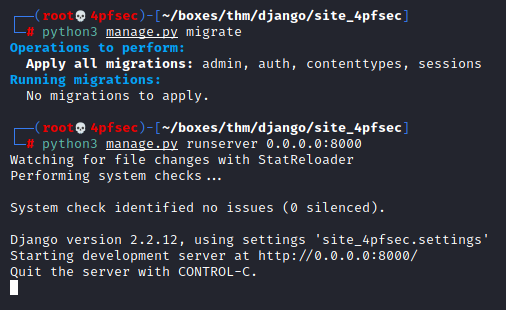
**Running App**
┌──(root💀4pfsec)-[~/boxes/thm/django/site_4pfsec]
└─# python3 manage.py migrate
┌──(root💀4pfsec)-[~/boxes/thm/django/site_4pfsec]
└─# python3 manage.py runserver 0.0.0.0:8000
### Rendering Templates with Django
Django is able to automatically generate HTML markdown if properly told so. Templates are the ones who help us with that.
**Templates**
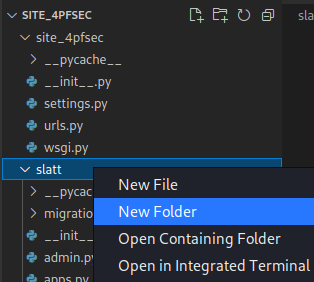
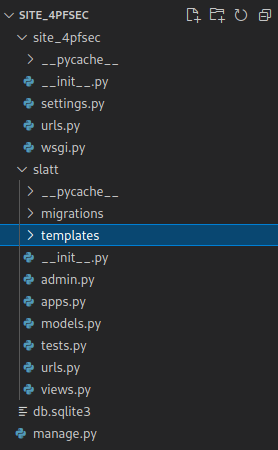
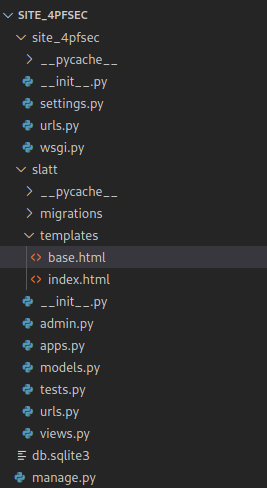
Create a template subdirectory in the app directory to hold all of our templates.
**Base.html**
{% block title %}Slatt{% endblock %}
{% block content %} {% endblock %}
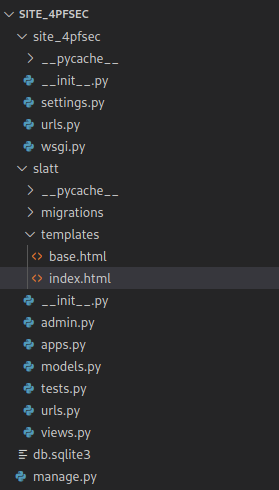
**index.html**
{% extends 'base.html'%}
{% block content %}
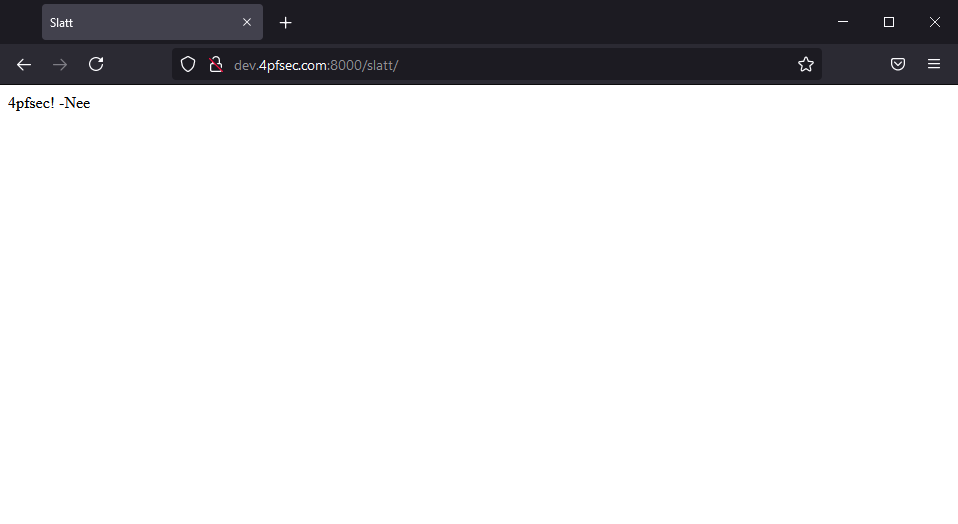
Hello world!
-Nee!
{% endblock %}
**views.py**
from django.shortcuts import render
from django.http import HttpResponse
# Create your views here.
def index(request):
return render(request, 'index.html')
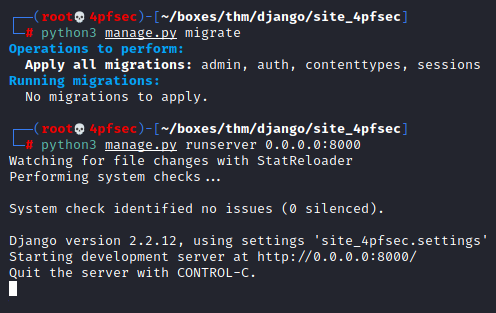
**Running App**
┌──(root💀4pfsec)-[~/boxes/thm/django/site_4pfsec]
└─# python3 manage.py migrate
┌──(root💀4pfsec)-[~/boxes/thm/django/site_4pfsec]
└─# python3 manage.py runserver 0.0.0.0:8000

* * *
CTF
---
`Target host = 10.10.131.20`
`Target Port = 8000`
`Target Username = django-admin`
`Target Password = roottoor1212`
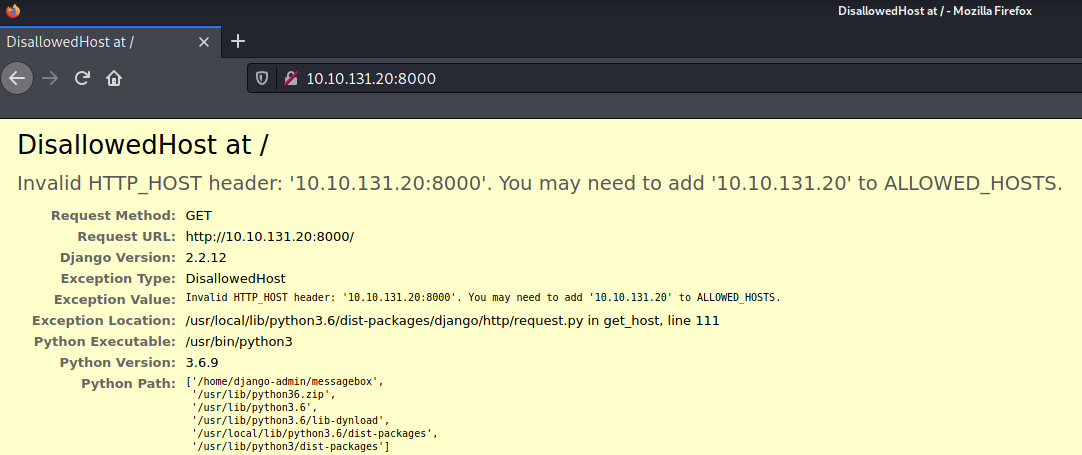
Browsing to the host on that port returned a disallowed error as shown below.
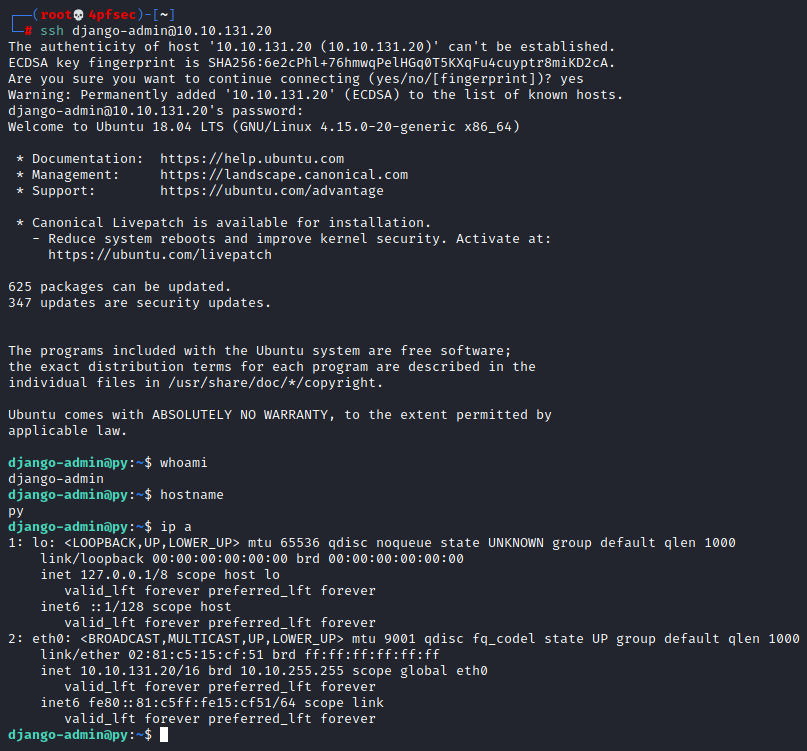
I was able to log in to the server via SSH with the given credentials.
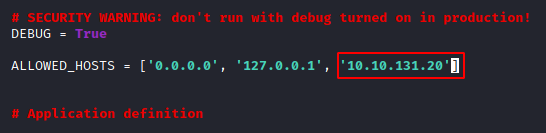
Since I had access to the server, I modified the `ALLOWED_HOSTS` list in `settings.py`
django-admin@py:~/messagebox/messagebox$ nano settings.py
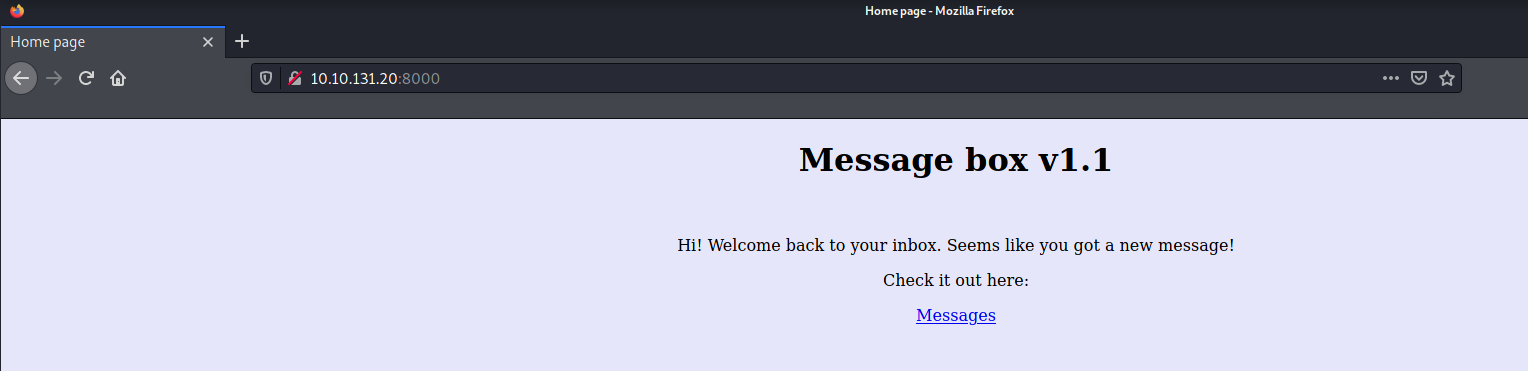
That modification led me into the application as shown below.
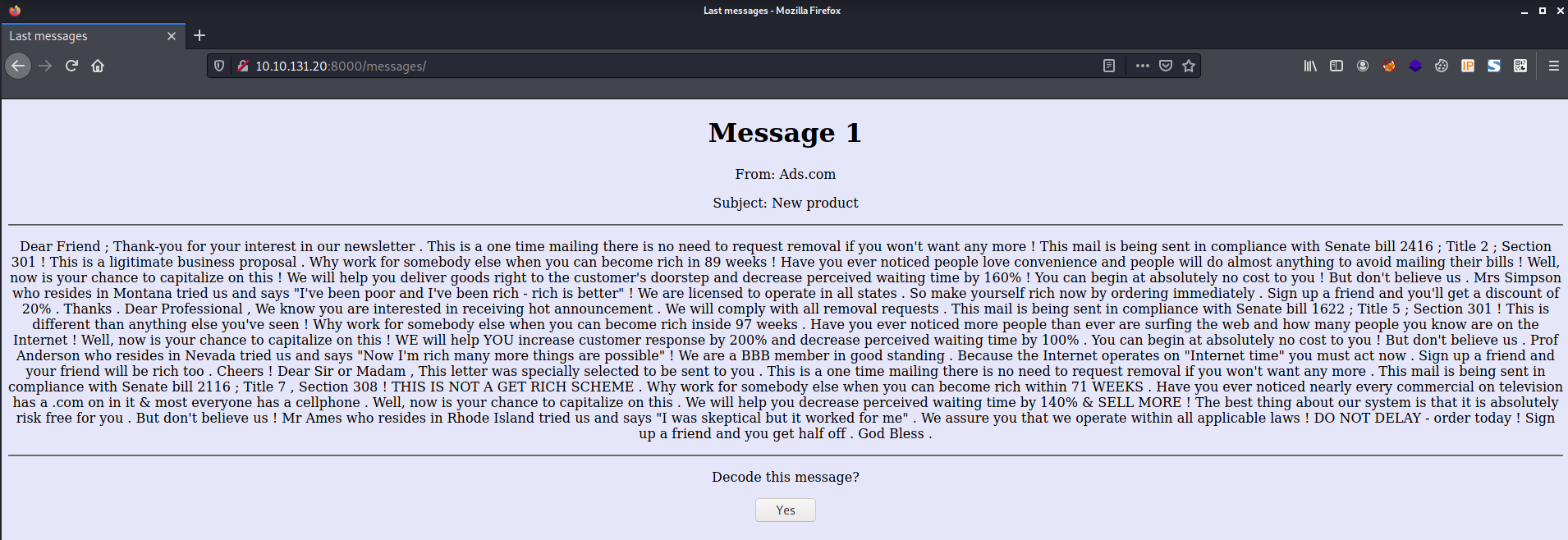
Exploring messages returned the following.
> Admin panel flag?
Since I had access to the server, I used the createsuperuser command to create my own user to be able to login to the Admin panel.
django-admin@py:~/messagebox$ python3 manage.py createsuperuser
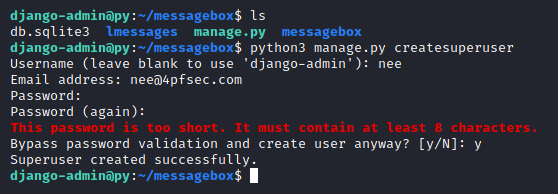
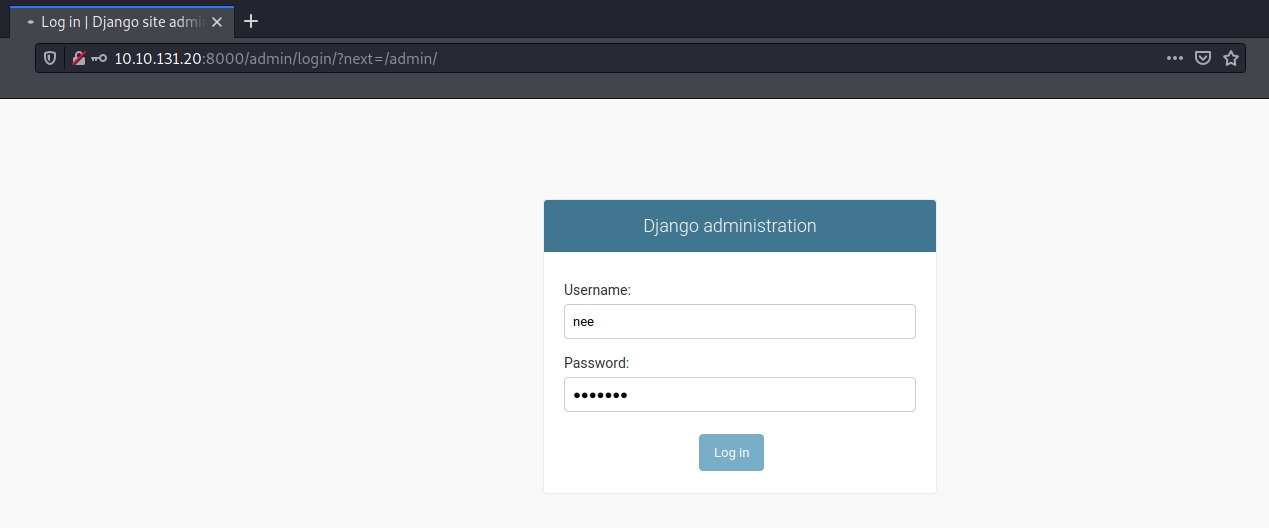
`http://10.10.131.20:8000/admin/`
With that, I was able to login to the admin panel as shown below.
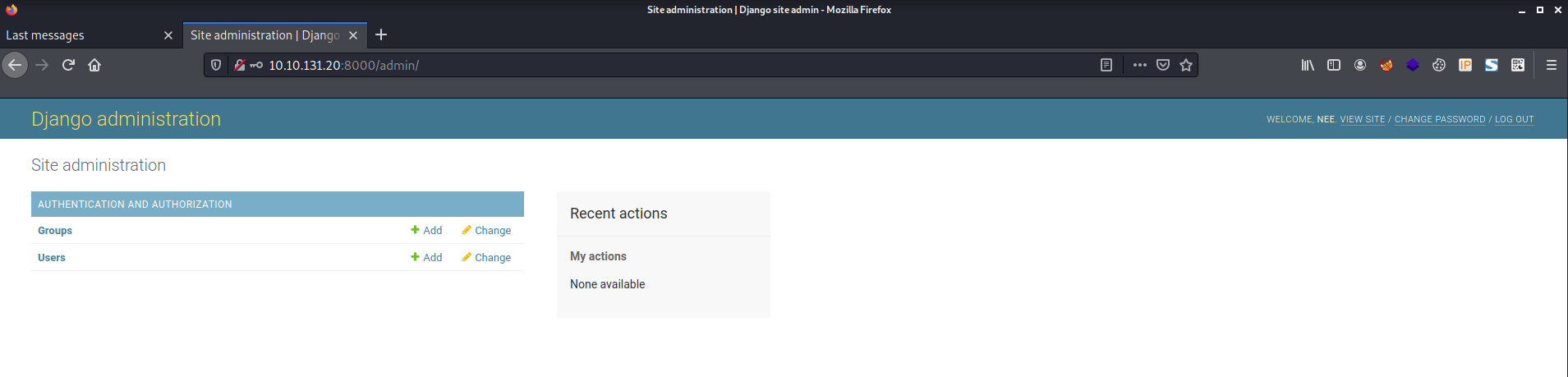
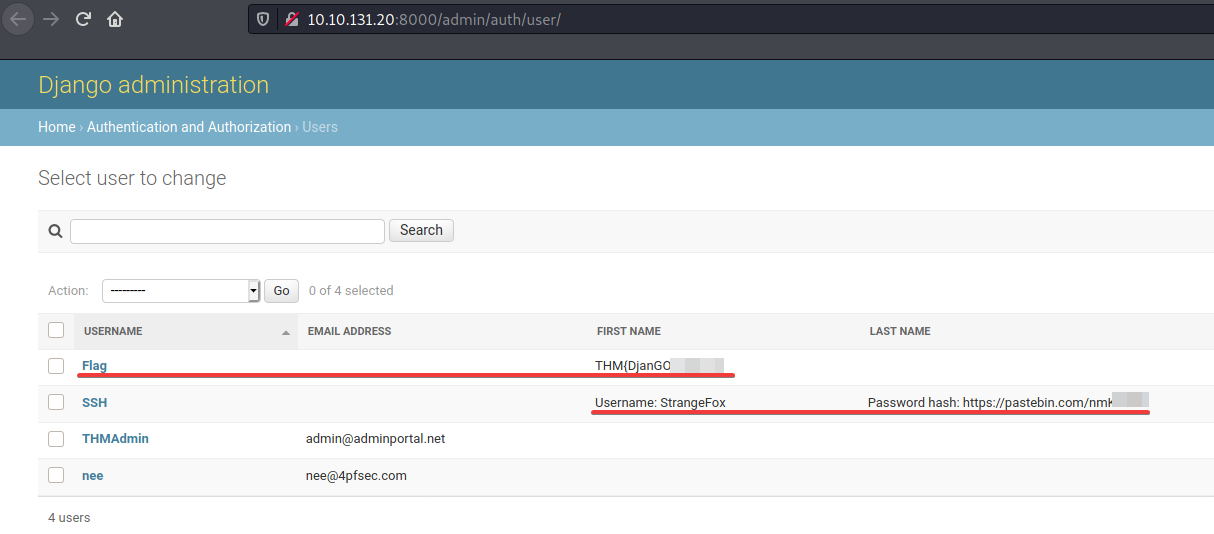
Browsing to [`http://10.10.131.20:8000/admin/auth/user/`](http://10.10.131.20:8000/admin/auth/user/) reveals the flag and some other interesting information as shown below!
> User flag?
The previous challenge gave us a new username and a password hash.
Username: StrangeFox
Password hash: https://pastebin.com/nmK---
Using [`https://toolz.4pfsec.com/hashId/`](https://toolz.4pfsec.com/hashId/) I was able to detect the hash as shown below.
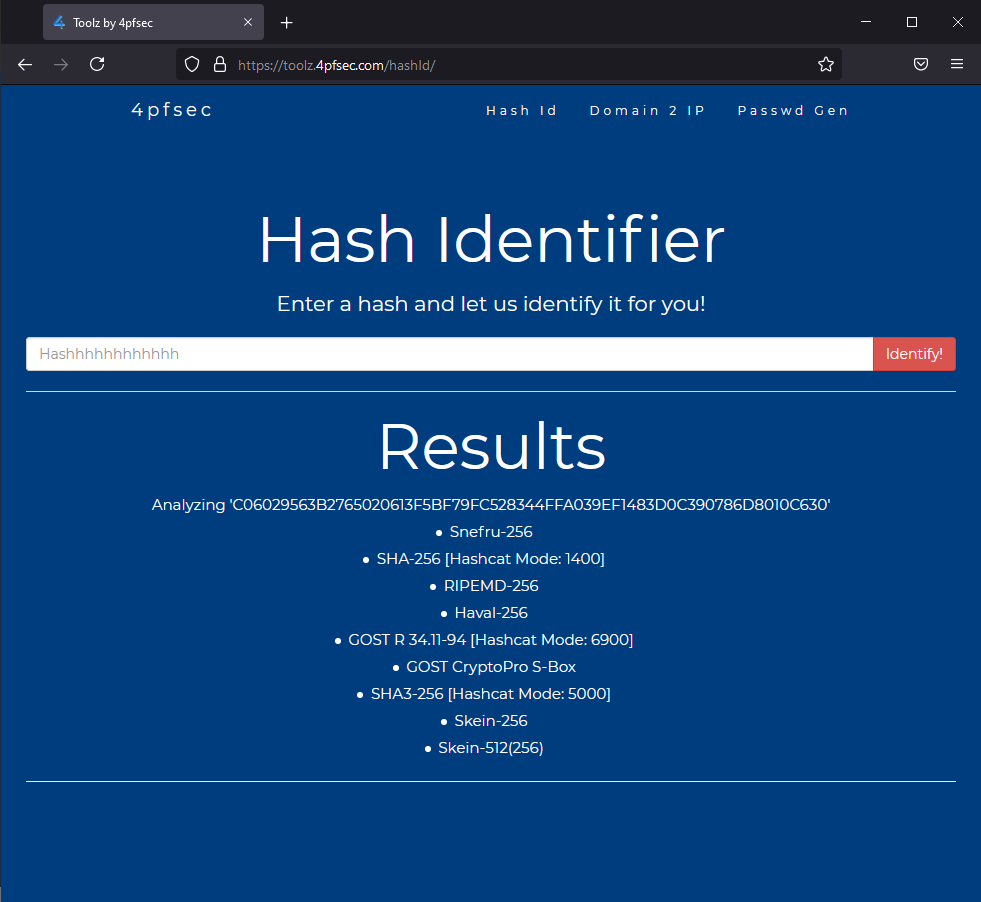
`SHA-256 [Hashcat Mode: 1400]`
Since I knew it was a `SHA-256` hash, I used `hashcat mode 1400` to go ahead and crack it.
.\hashcat.exe -m 1400 .\hashes\djangoCtf.txt .\wordlists\mylist.txt --force
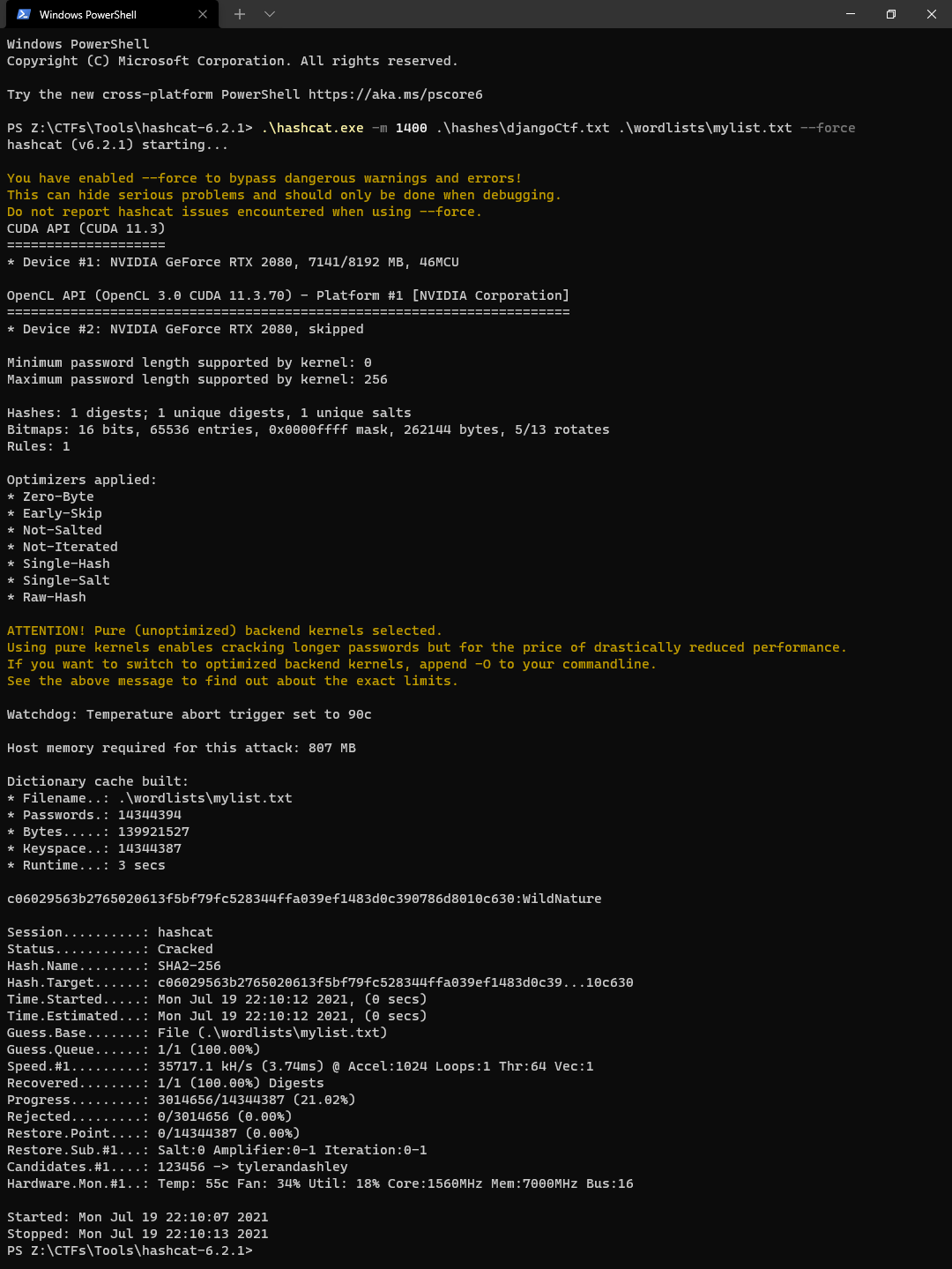
`c06029563b2765020613f5bf79fc528344ffa039ef1483d0c390786d8010c630:WildNature`
`Target User = StrangeFox`
`Target User's Password = WildNature`
Knowing the credentials, I switched to that user.
su StrangeFox
WildNature
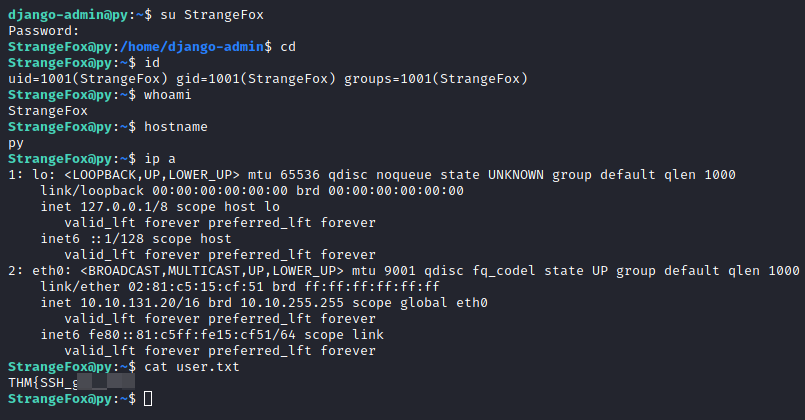
> Hidden flag?
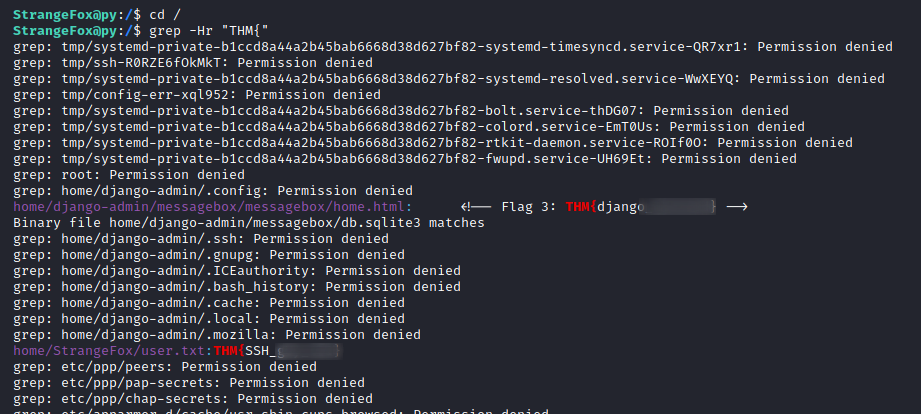
Knowing that the flag would be on the machine, I grep-ed recursively throughout the FS to find the flag. (as shown below)
StrangeFox@py:/$ cd /
StrangeFox@py:/$ grep -Hr "THM{"
* * *
Conclusion
----------
With that, this room has successfully taught me the basics of Django and how to use it against devs! Hope it helped you in some way 😏!
* * *