I have always wondered how malicious attackers register domains that look exactly like the original but have a slight change in the characters used. Mostly Unicode characters. I recently sank some time into figuring out how this attack works with the various characters. I eventually succeeded in my attempts.
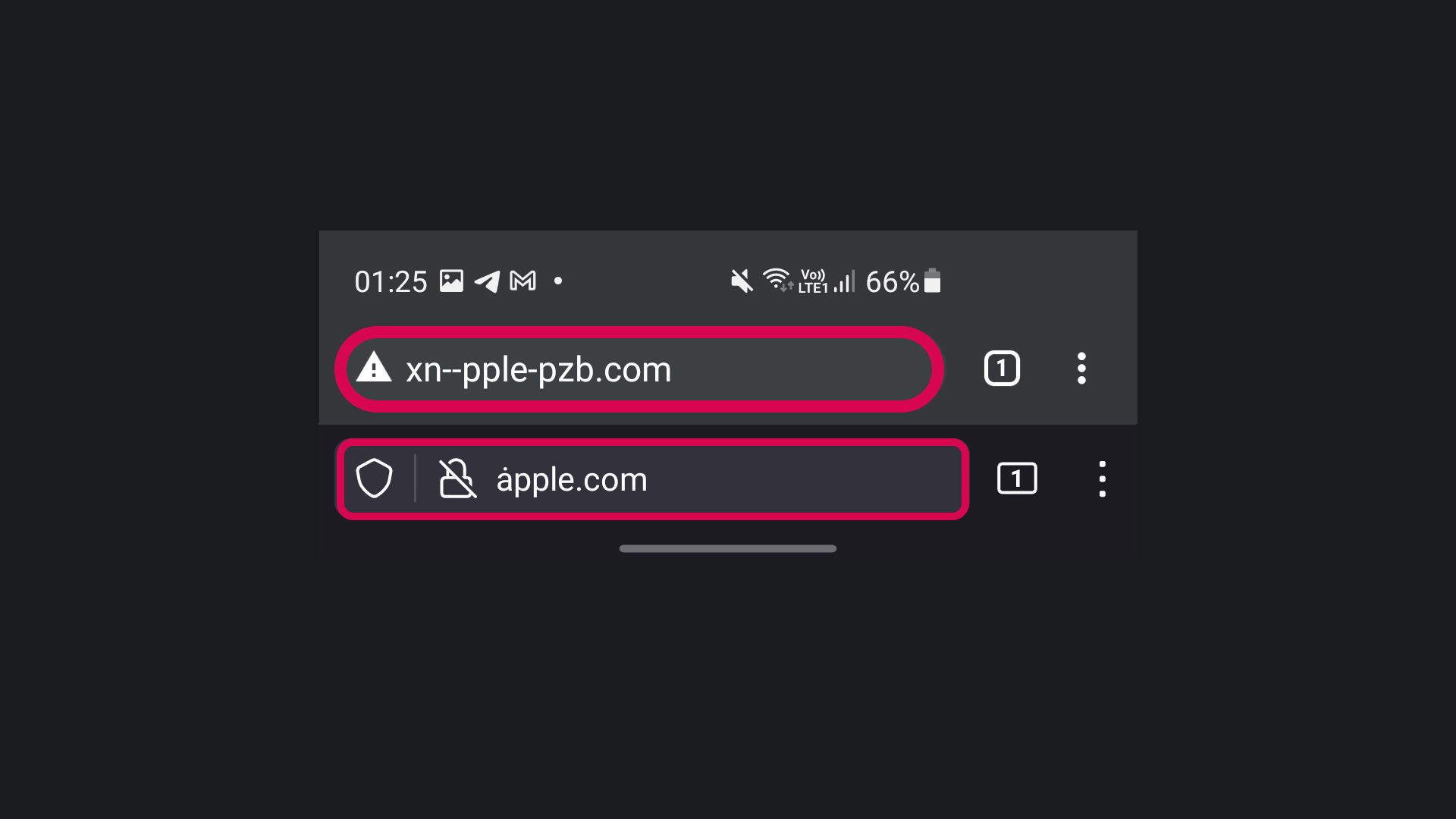
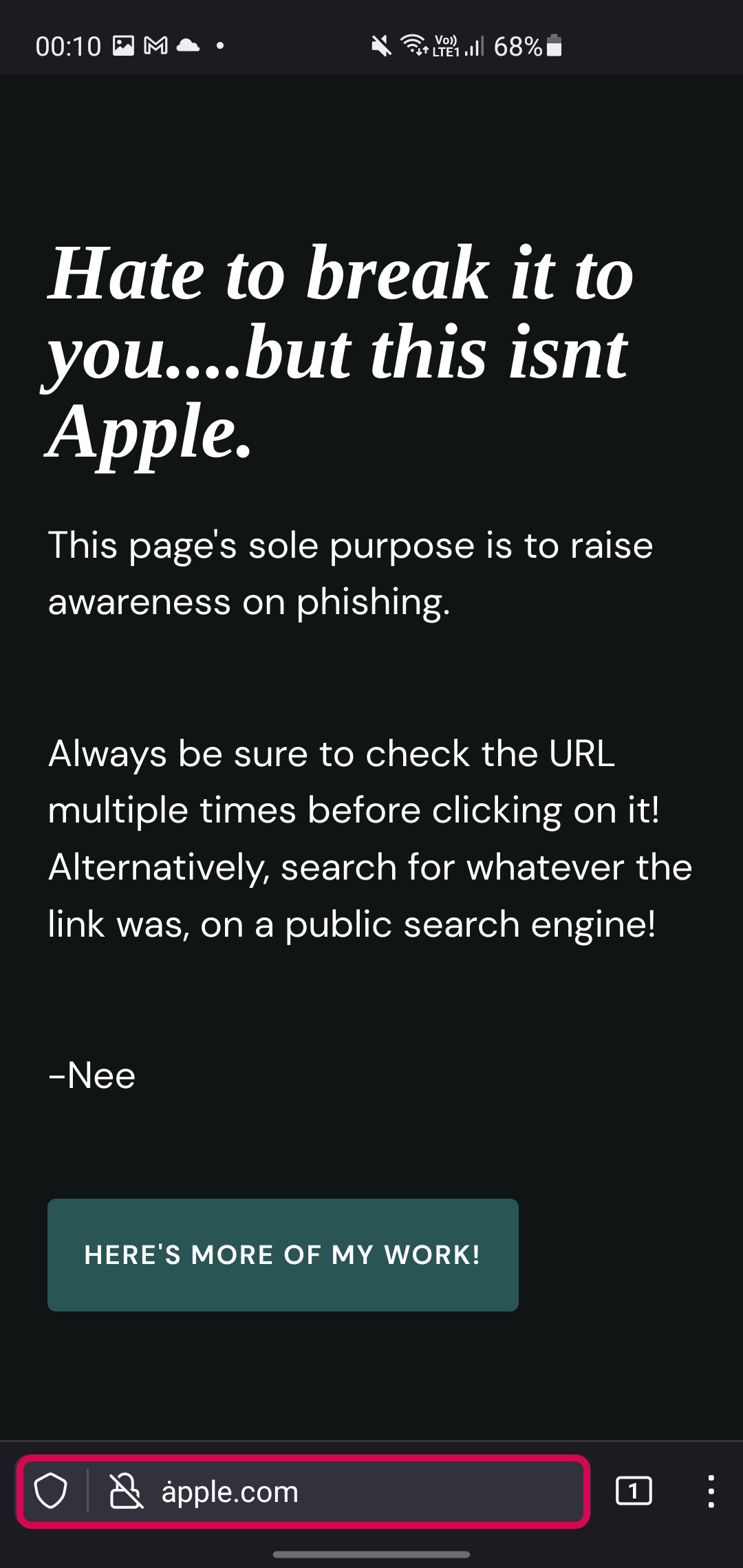
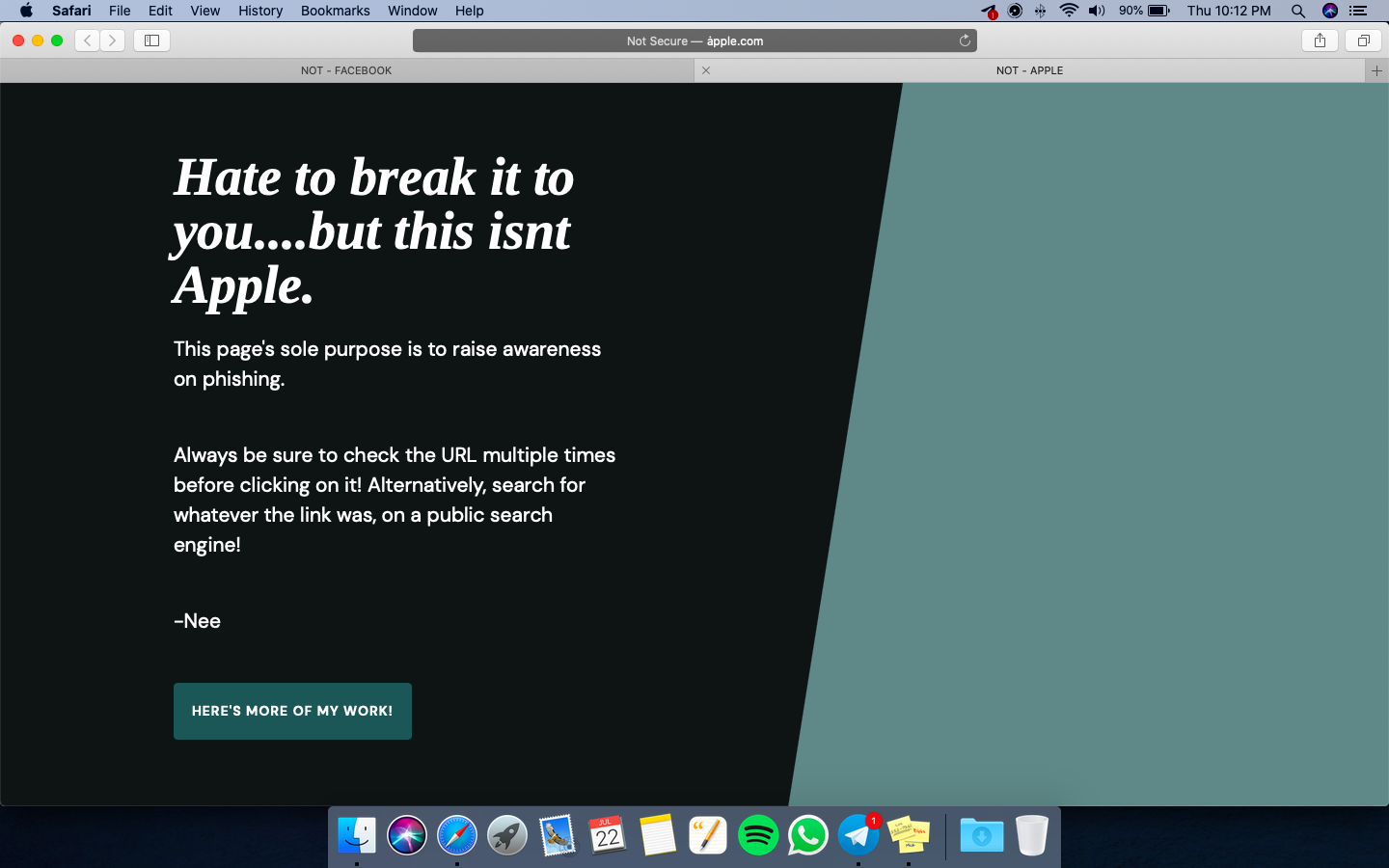
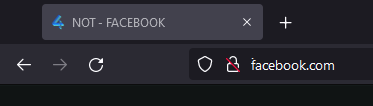
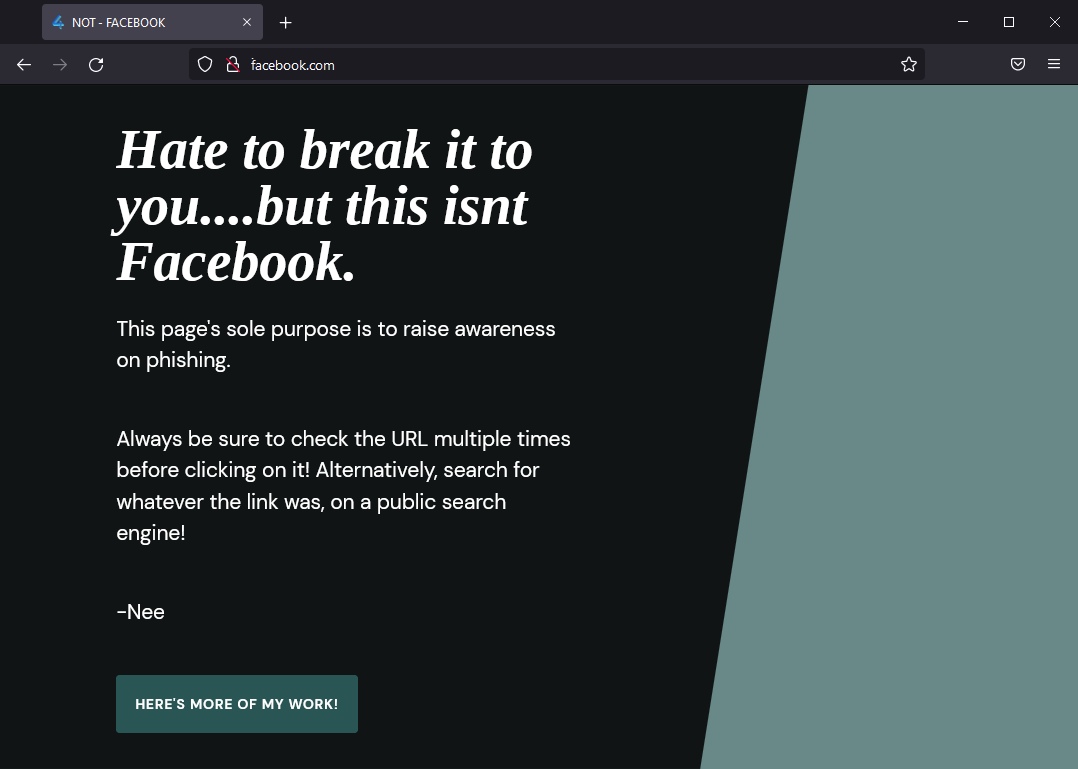
I now own ȧpple.com and ḟacebook.com. If you were to open the link on safari or firefox, it would appear how its shown above. However, if you were to open the link with any other chromium browser, you would be seeing the ASCII version of it. Here's what happens in the background and how I did it.
Background
A hostile actor can fool computer users about what distant system they are connecting with via an internationalized domain name (IDN) homograph attack. There are a ton of character look-alikes that can be used to perform such attacks. For example, the a in apple.com can be replaced with the Cyrillic character "а". Or it could even be replaced with the Latin Extended Additional character "ȧ". Which is what I've done in my POC domains. If you're interested, check this out!
Punycode
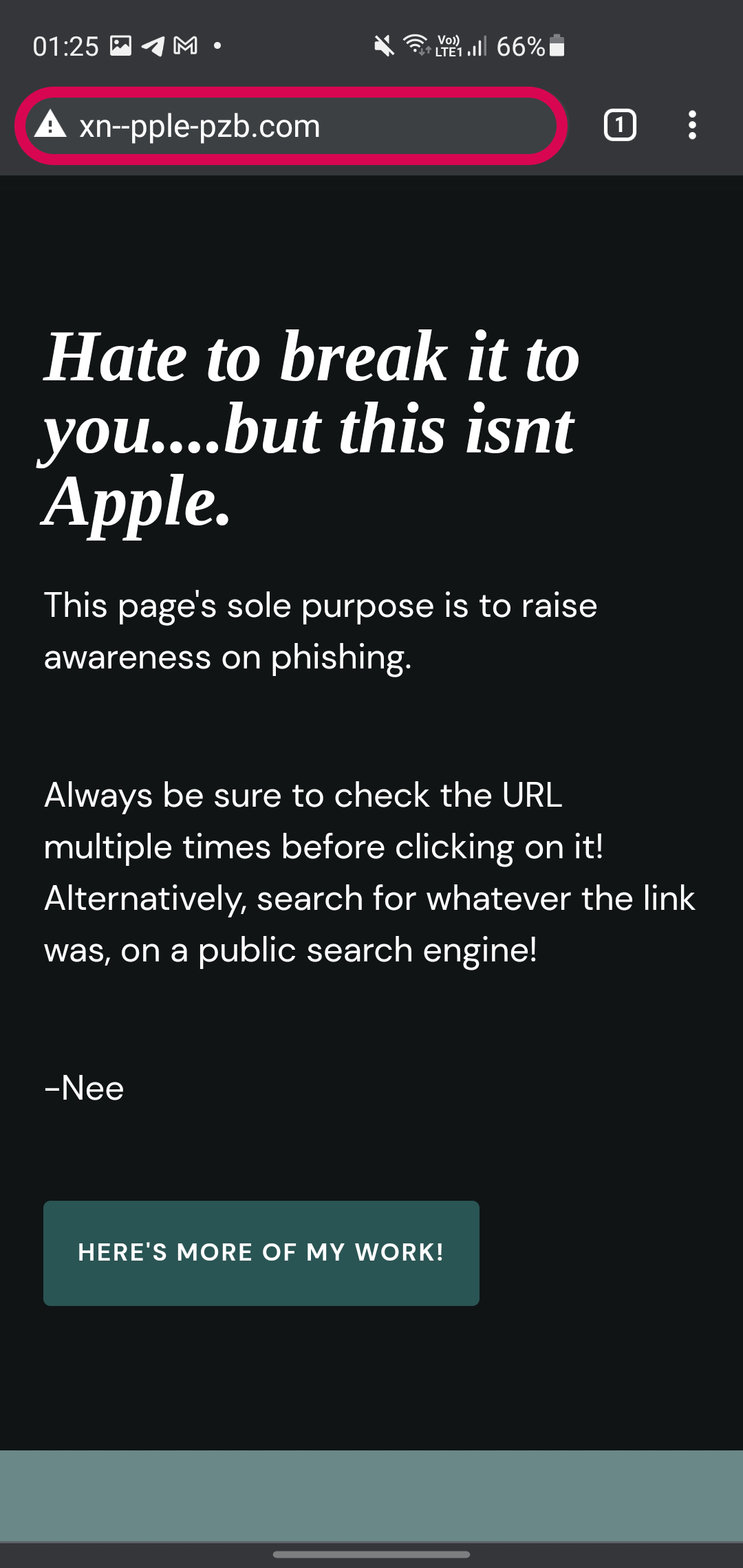
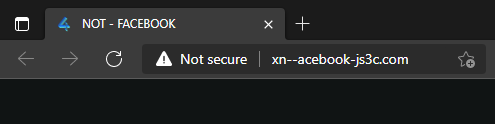
You may wonder how someone is able to register a domain with Unicode characters. That's where Punycode comes in handy! If you closely inspect the URL on most chromium browsers, you'll notice that I actually registered xn--acebook-js3c.com and xn--pple-pzb.com.
The characters ȧ and ḟ are seen as Unicode characters. Punycode is a Unicode encoding that uses just the ASCII character set for Internet hostnames. And this is also what allows someone to register a domain with Unicode characters.
In action
Let's take a look at how various browsers process the Punycode (by default)
Firefox
Safari
Brave/Chrome
Conclusion
Most chromium-based browsers seem to have fixed this "issue" by displaying the ASCII version and not processing the Punycode. However, Firefox and Safari don't seem to do this by default. At least from my testing. There might be more browsers I'm unaware of that do this.
Impact
If you're reading this, you are definitely will be able to pick out the difference and catch this. Its the general public we have to be worried about. This attack creates a lot of possibilities for phishing attacks. From a distance, people might not be able to tell the difference and end up giving up their credentials.
Fix
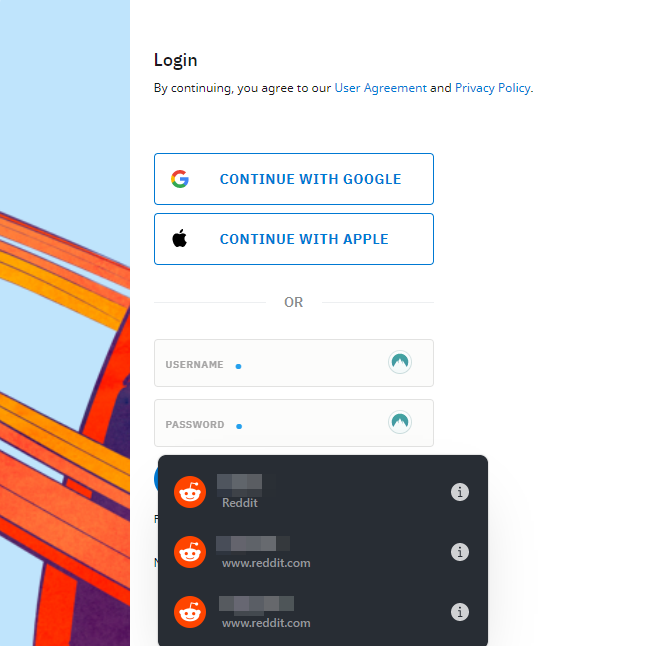
The most obvious answer would be to use a password manager. Password managers associate the domains with your credentials. This stops a look-alike domain from stealing your credentials!
The temporary solution for Firefox users would be to head to About -> Config and set network.IDN_show_punycode to True . This would ensure that Firefox shows the same URL as other chromium browsers!
POC
Access these links on Firefox/Safari to see the effect!
For those interested
[Steps to reproduce]
- Purchase a domain name. Specifically an ASCII version of "ȧpple.com" which turns out to be "xn--pple-pzb.com"
- Setup DNS records and point it to a server hosting a static site.
- Launch the latest version of Firefox and Browse to "xn--pple-pzb.com"
[Actual Results]
- Firefox processes "xn--pple-pzb.com" in the address bar and displays the Unicode version, "ȧpple.com" in the address bar to the end-user.
About the author
All things Information Security!
Comments
Join the discussionNo comments yet. Be the first to comment.