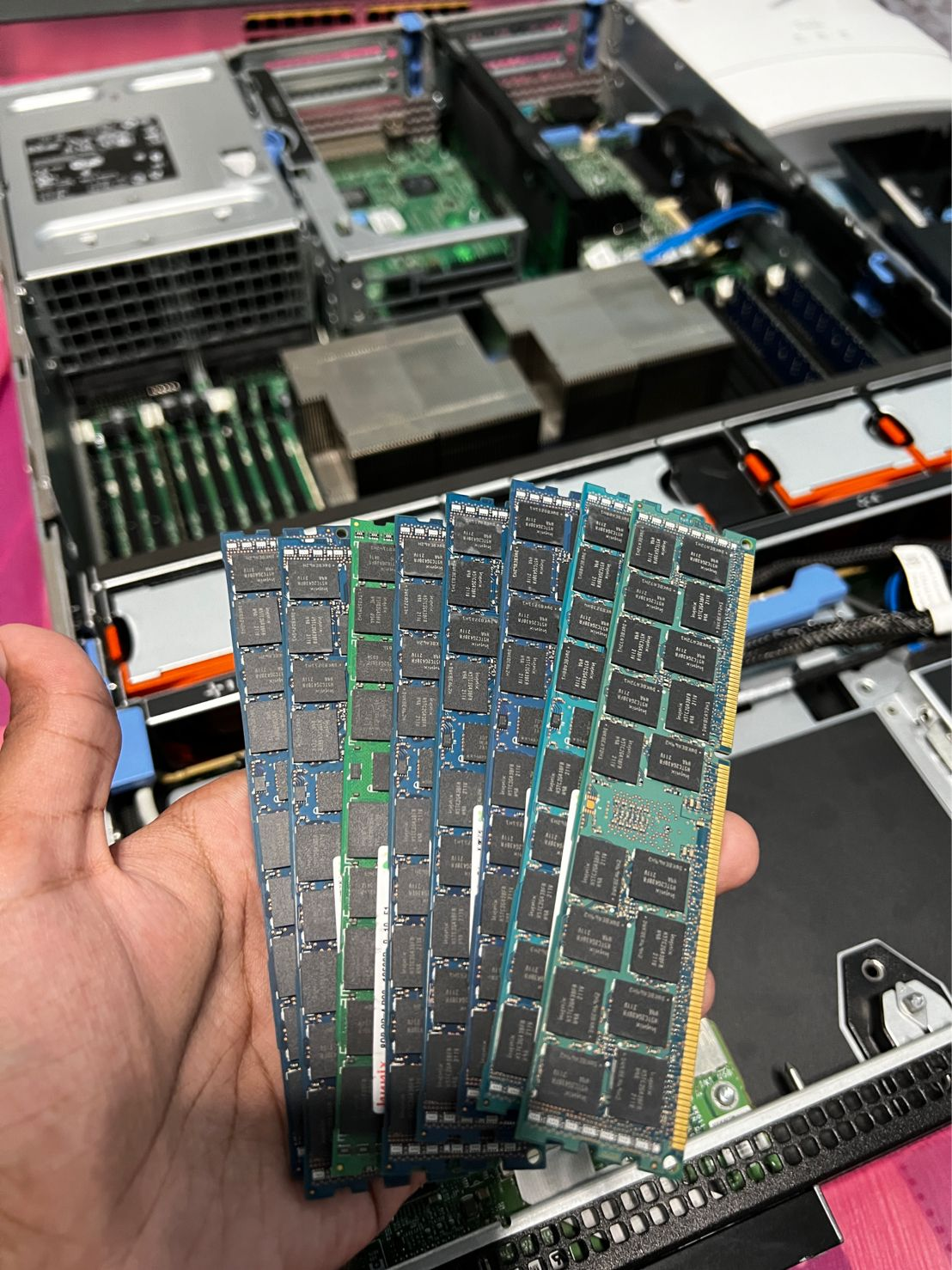
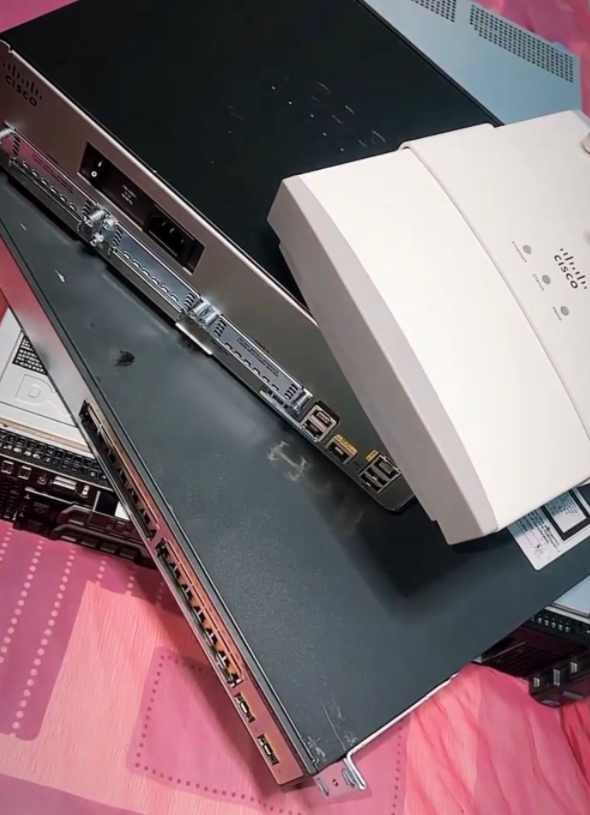
My time has finally come. After all those years of wanting a personal home lab setup which doesn't run on Pi4, I finally got my hands on a Dell PowerEdge R710 and some other Cisco gear.
Hardware & Specifications
Router
- Nokia Beacon
- Cisco 1941 Series
Access Point
- Nokia Beacon Wifi
- CISCO Aironet 1250 Series
Switch
- Linksys LGS108 8-Port Business Desktop Gigabit Switch
- Cisco Catalyst 3750 v2 Series PoE-24
Server
- Dell PowerEdge R710
CPU
- 2 x Intel Xeon E5530
RAM
- 64GB ECC RAM [config = 8 x 8gb sticks]
Storage
- 6 x 600gb SAS drives
Extras
- Perc 6i RAID Controller
- iDrac remote management
Network Topology
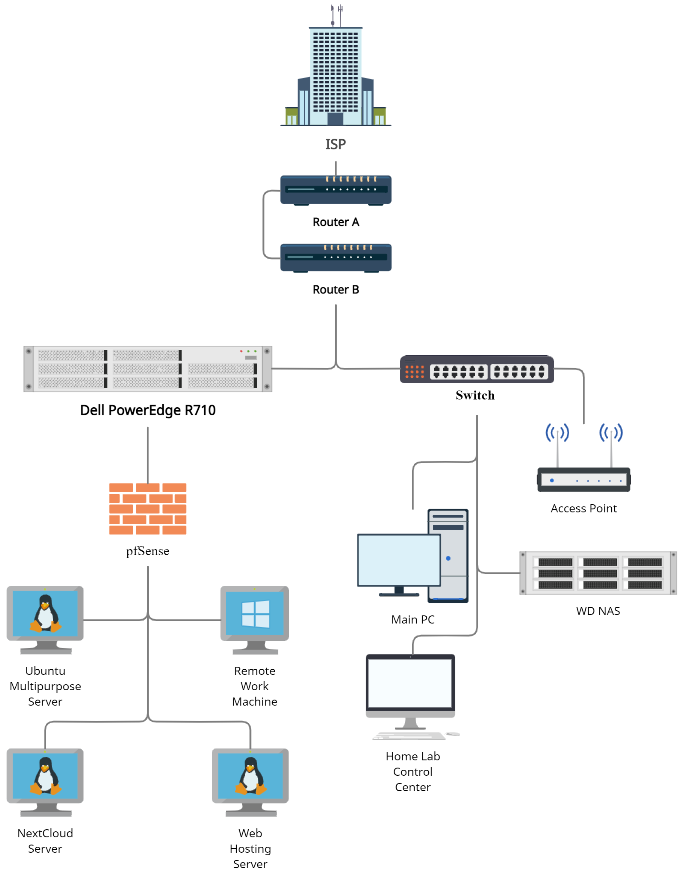
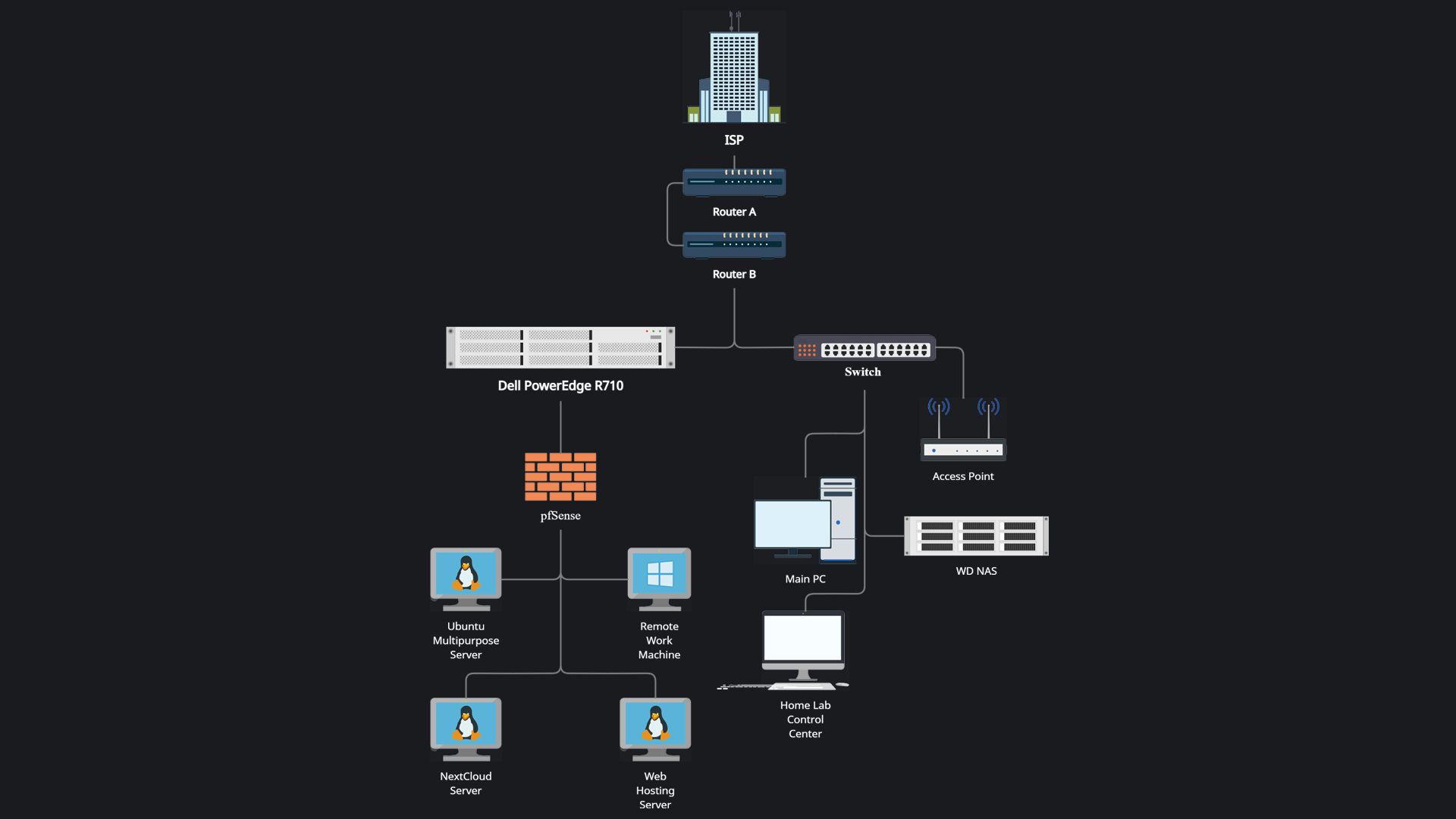
The next thing on the list was to plan my network topology. I had to ensure that I had the optimal setup which did not disrupt the main network. Afterall, network stability is crucial during these work-from-home times.
This was the final topology that I went with. This topology ensured that I had control of the machines that would possibly by internet facing with the help of the pfSense Firewall. The network also ensured that none of my other devices would be affected if the server were to face downtime. (i.e. NAS, Access Point, Desktops)
Hypervisor
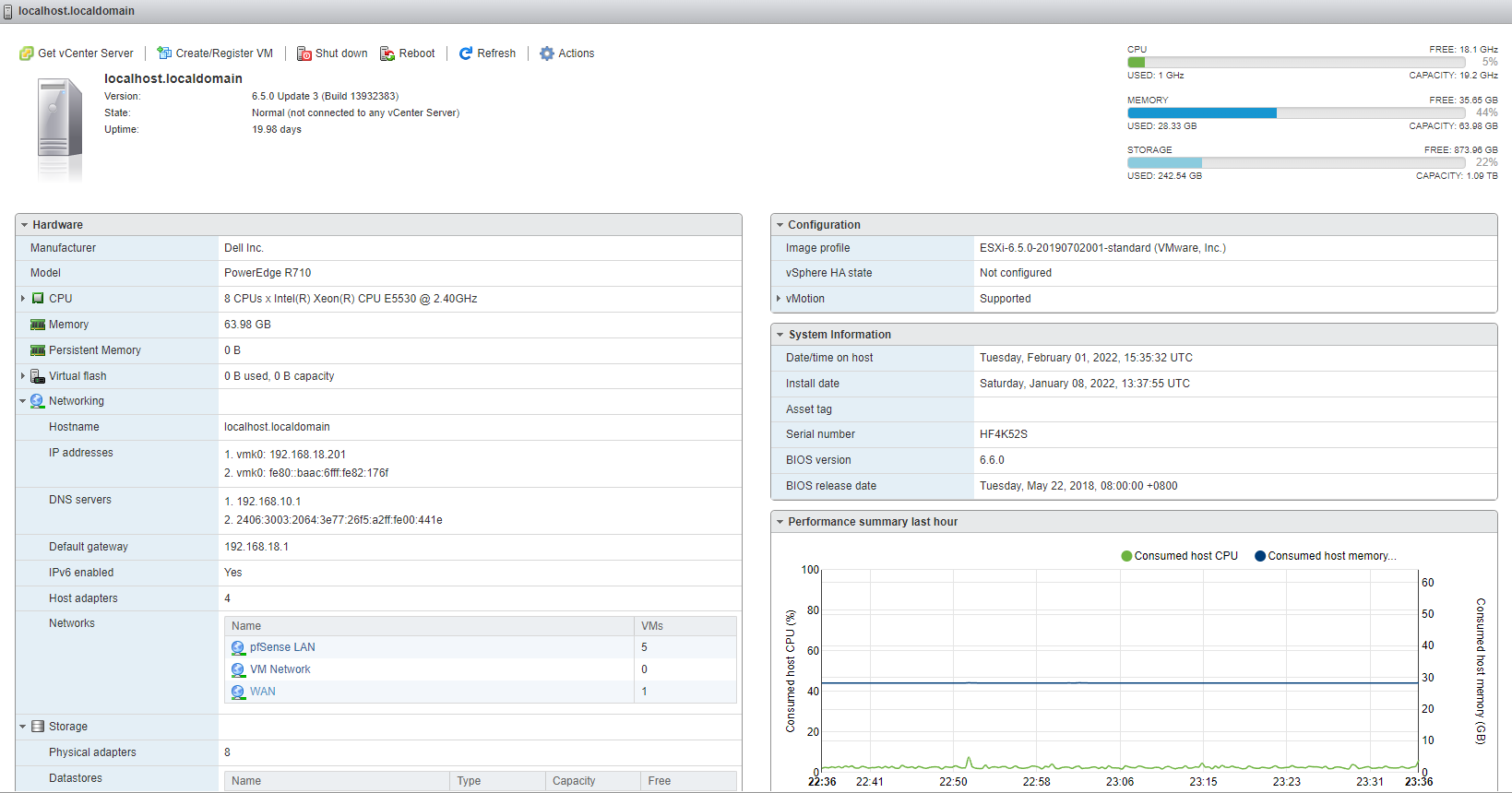
I spent a good couple of days battling this choice out. I've been team VMware for the past 5 years. Out of those 5 years I've had a year of beginner experience with ESXI. However upon doing some research, I realized that a ton of homelab enthusiasts use Proxmox.
After looking through a ton of blog posts and weighing out my preferences, I ended up going with VMware ESXI 6.5.0 Update 3 (Build 13932383). Here are a few awesome resources that might help you decide which ones best for you!
[
Proxmox vs ESXi | Choosing the Best Hypervisor | ServerWatch
Proxmox and ESXi are hypervisor software that creates multiple virtual machines. Explore the performance & price of these hypervisors now.
 ServerWatchSam Ingalls
](https://www.serverwatch.com/reviews/proxmox-vs-esxi/)
Proxmox vs. ESXi from homelab
Operating System & Services
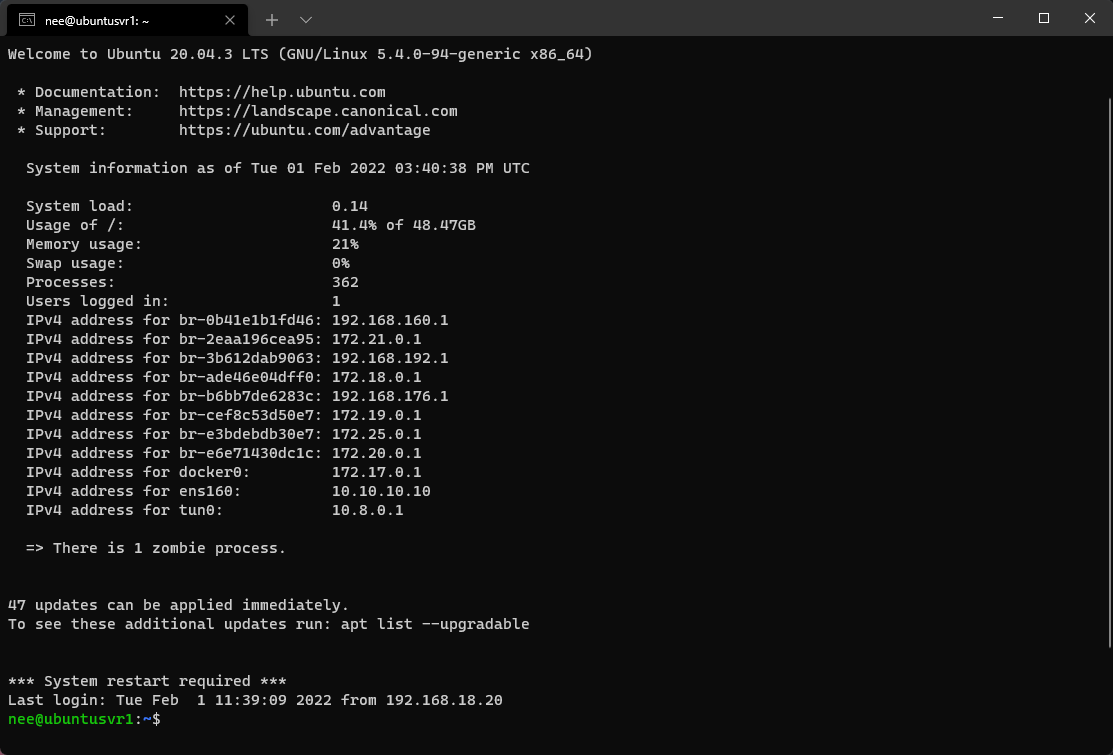
Now it was time for me to pick the OS I wanted my virtual machines to run. My initial plan was to go with something new but I had a couple years of experience with Debian-based distros. Thus, I ended up going with Ubuntu 20.04.3 for all my Linux Servers.
As for services, I had a couple of things I wanted to run.
- Cloud
- Video Streaming Server
- Music Streaming Server
- Self-hosted Pastebin
- Web Hosting Server
- Personal Site
- Personal Blog
- Public Sites - Qbittorrent Server
These were just some of the things I had in mind at the start! We'll see how it goes in the next few posts
Conclusion
Now that I have the basics down, I'll be spending my free time upgrading/installing/configuring/exposing the servers and services! I'll be writing about my homelab process :) Can't wait to see how it'll go! Seeya in the next post 👋
About the author
All things Information Security!
Comments
Join the discussionNo comments yet. Be the first to comment.